
Training and demonstrations
You show commissioning with the app or with Mesh Service without taking real devices along. Each simulated device behaves like a new device fresh from the factory.
Ultra licence New
The simulator turns an nRF52840 dongle on a USB port into a test installation. The dongle transmits like real JUNG HOME and Steinel devices, each with an address of its own. The JUNG HOME App finds these devices and commissions them like real ones, and so does Mesh Service.
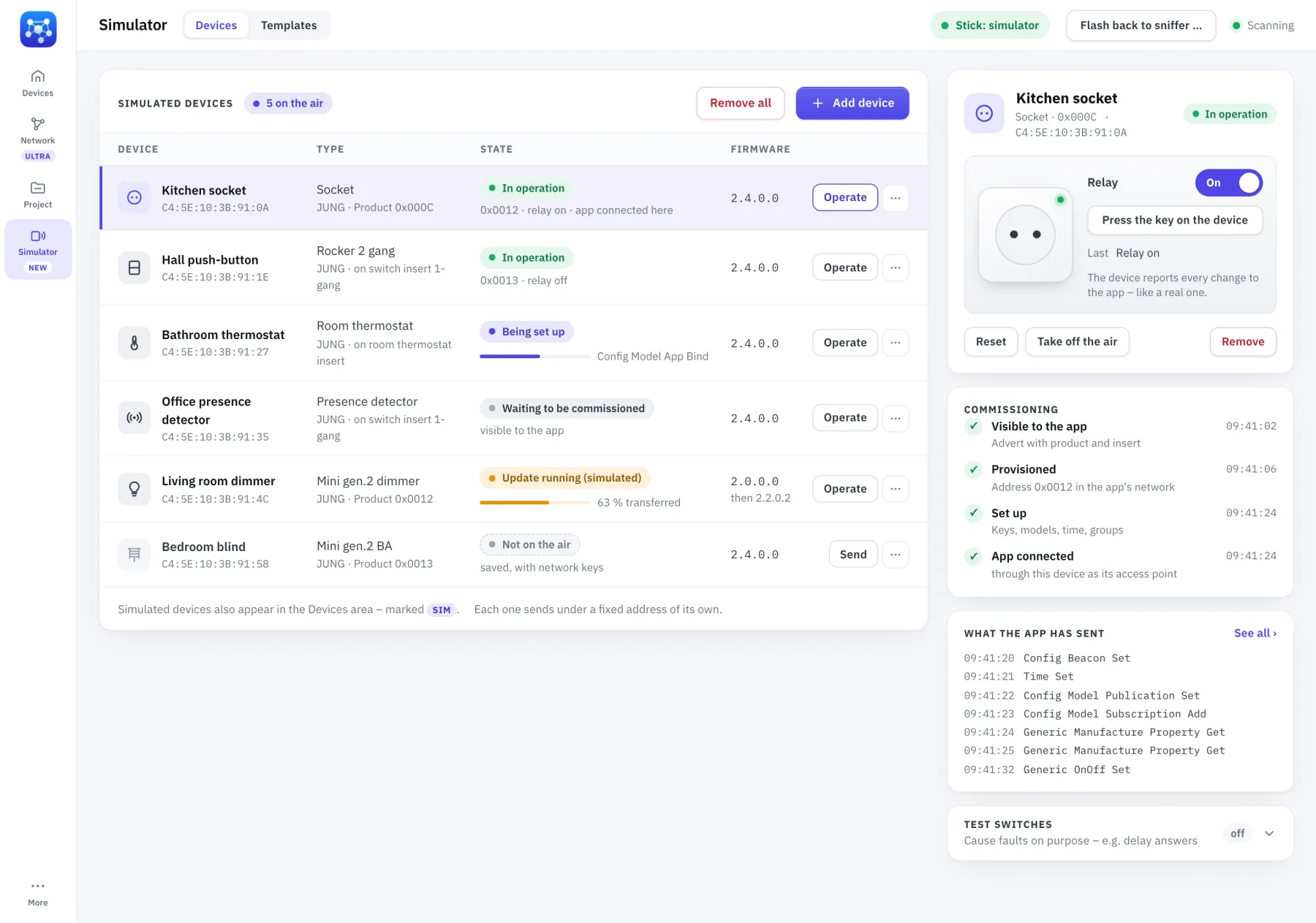
You show commissioning with the app or with Mesh Service without taking real devices along. Each simulated device behaves like a new device fresh from the factory.
Test switches create fault cases such as delayed answers, a refused AppKey or a device that falls silent after provisioning. An older firmware version makes the app ask for an update.
Every message the app sends to a simulated device appears with its time in the column of that device. This lets you trace what happened at a customer’s site.
To the app, a simulated device looks like a real one. It sends its advertising packet, can be provisioned and set up, and reports its state.
The simulator runs on the same nRF52840 dongle that otherwise serves as the sniffer stick. Mesh Service flashes the simulator firmware itself. To switch from the sniffer to the simulator, you briefly press the RESET button on the stick once. Saved simulated devices then transmit again. Switching back to the sniffer needs no button.
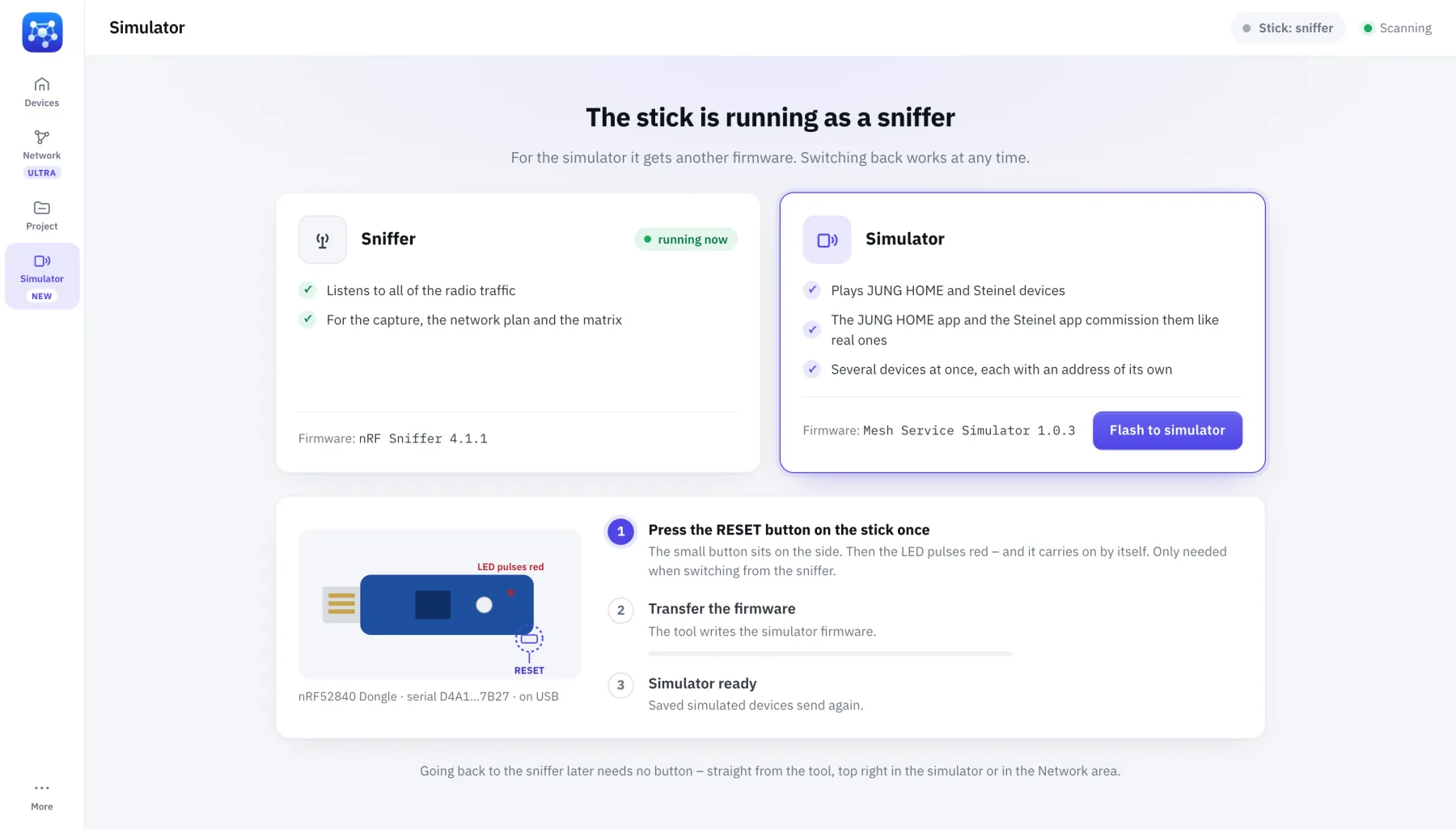
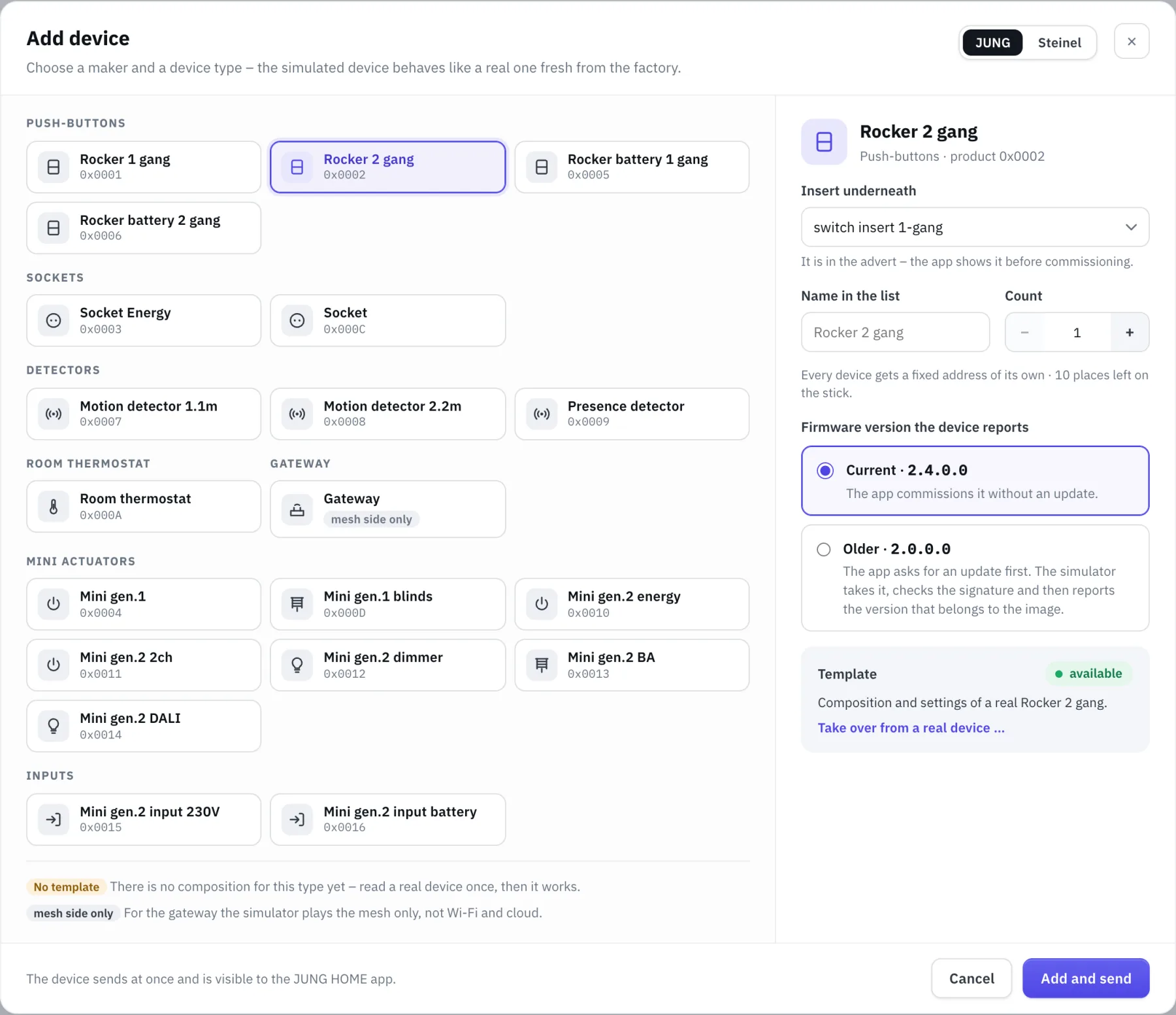
You choose the device type, for push-buttons, detectors and room thermostats also the insert, and the count and the firmware version the device is to report. With “Older”, the JUNG HOME App asks for an update before commissioning.
The column of a simulated device shows its front. You can press buttons briefly or long and switch relays. The device reports every change to the app like a real device. Below are the commissioning steps with their time and the messages the app has sent.
New in 2.25
In the “Add device” dialog, you choose the manufacturer at the top. The simulator knows 111 Steinel products with one sensor each for motion and brightness. They are sensor lights, movement detectors, sensor lamps and one presence switch. Two of them were measured on real devices, the IS 180 digi and the Spot ONE SC. The others are derived from their build.
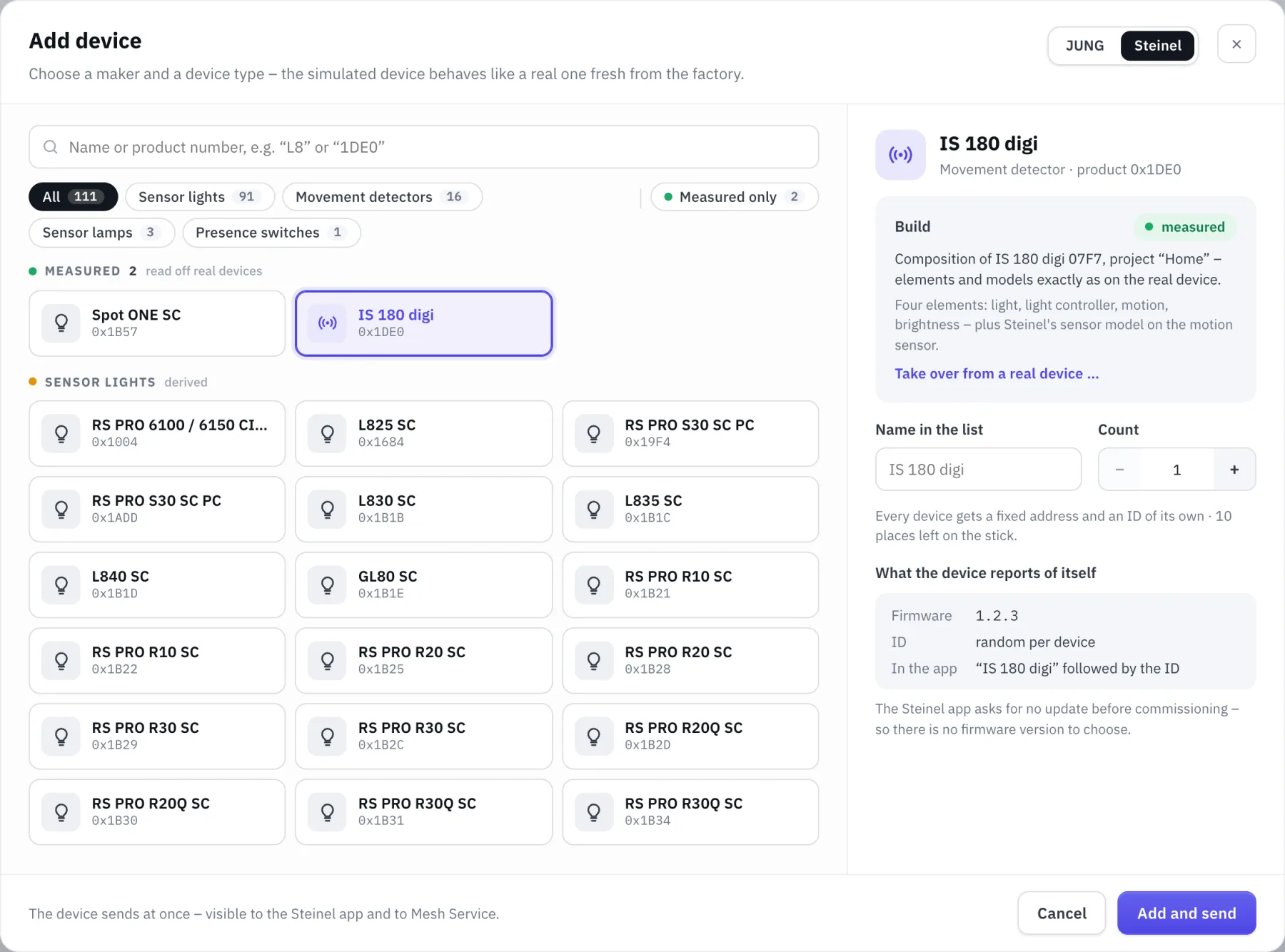
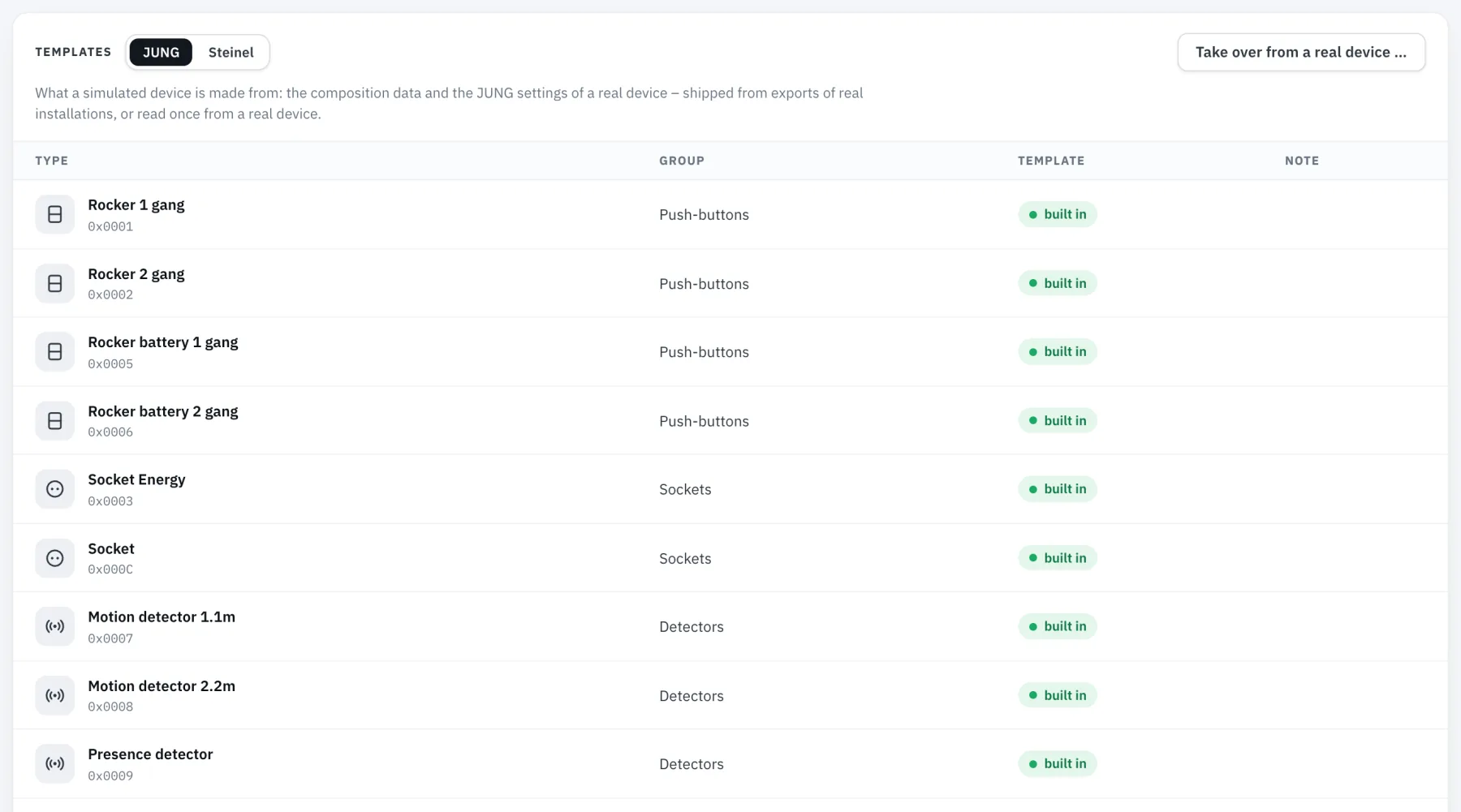
Each device type has a template that sets which elements and models the device reports. “Take over from a real device …” reads the template from a real device. Simulated devices also appear in the “Devices” area, where they carry the SIM tag.
A Nordic nRF52840 dongle and an Ultra licence. Mesh Service flashes the simulator firmware itself. Devices cannot be simulated with the computer’s Bluetooth adapter or with Silicon Labs boards.
No. The stick works either as a sniffer or as a simulator. You switch to the simulator with a short press on the RESET button, and back to the sniffer without a button, directly from Mesh Service.
All 20 JUNG HOME device types and 111 Steinel products with sensors for motion and brightness. It does not simulate Steinel presence detectors.
Yes. The app finds the simulated devices and commissions them like real ones. This has been tested with the JUNG HOME App for iOS. Mesh Service itself also commissions simulated devices.
Download the program and request the licence from within it. If you have questions, write to us.